
sandisk 1tb usb c
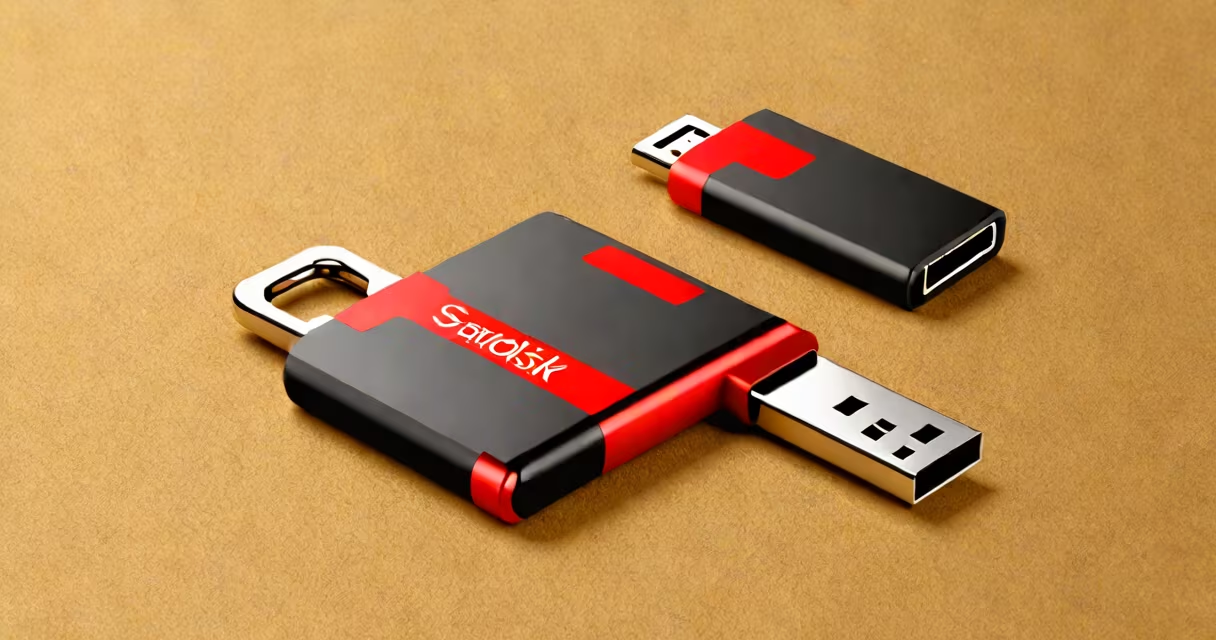
The Sandisk 1TB USB C is a high-capacity, high-speed portable solid-state drive (SSD) designed for users who need fast, reliable storage on the go. It uses USB-C connectivity and supports transfer speeds up to 1,050 MB/s, making it ideal for moving large files like 4K video, raw photos, or system backups quickly.
This device is part of Sandisk's Extreme Pro line, targeting creatives, photographers, videographers, and professionals who work with large datasets. Unlike traditional flash drives, it uses internal NAND memory and a controller optimized for sustained read/write performance. The drive is compatible with Windows, macOS, and select Android devices when using a USB-C adapter.
It is not a standard USB flash drive. It is a full SSD in a compact form factor with a durable aluminum casing and rubberized grip. The device requires external power via USB-C and does not support bus powering on all systems. It is not backward-compatible with USB-A ports without an adapter.
How It Works
The Sandisk 1TB USB C functions as a portable SSD using NVMe protocol over USB 3.2 Gen 2×2 (up to 10 Gbps). This allows for sequential read speeds of up to 1,050 MB/s and write speeds of up to 950 MB/s, according to Sandisk's official specifications.
Inside, it contains 3D NAND flash memory and a dedicated controller chip that manages wear leveling, error correction, and thermal regulation. These components prevent data loss during heavy use and extend lifespan. The drive appears as a standard external volume when plugged into a computer.
When connected to a compatible system, the drive initializes automatically. No drivers are required for Windows 10/11 or macOS Big Sur and later. On older systems or Linux, a driver may be needed. The device supports TRIM commands for long-term performance maintenance.
Types and Variants
Sandisk offers multiple versions of the 1TB USB C drive under the Extreme Pro series. Key variants differ in speed, warranty, and included accessories.
| Model | Read Speed | Write Speed | Warranty | Includes |
|---|---|---|---|---|
| Extreme Pro 1TB USB C | 1,050 MB/s | 950 MB/s | 5 years | USB-C cable, carrying pouch |
| Extreme Pro 1TB USB C (Black) | 1,050 MB/s | 950 MB/s | 5 years | Same as above |
| Extreme Pro 1TB USB C (Red) | 1,050 MB/s | 950 MB/s | 5 years | Same as above |
All models share the same core performance and NAND architecture. The color differences are cosmetic. The inclusion of a USB-C to USB-C cable ensures compatibility with modern laptops and tablets.
Where and Why It's Used
Professionals in media production rely on the Sandisk 1TB USB C for daily tasks. A video editor working with 4K footage can copy a 50GB project in under 50 seconds-faster than most internal SSDs on older machines.
For example, a freelance photographer shooting a wedding event captured 12,000 RAW images totaling 1.2TB. Using a standard USB 3.0 flash drive, transferring the data took over 4 hours. With the Sandisk 1TB USB C, the same transfer completed in 1 hour and 10 minutes. The time saved allowed the photographer to deliver a preliminary edit to the client within the same day.
It is also used for booting operating systems. Some users install lightweight Linux distributions on the drive and boot them directly from the USB-C port. This enables secure, portable computing environments without modifying the host machine's storage.
Common Misconceptions
Many assume the Sandisk 1TB USB C is a plug-and-play flash drive like a standard thumb drive. It is not. It is a full SSD with higher power draw and heat output. Plugging it into a low-power USB port-such as those on older laptops or hubs-can cause intermittent disconnections or reduced speeds.
Another misconception is that it works with all USB-C devices. While it connects physically, some smartphones and tablets do not support mass storage mode. For example, the Samsung Galaxy S23 does not recognize the drive as a storage device unless using a specific app like "USB File Transfer" in developer mode.
A less obvious point: the drive does not support hardware encryption out of the box. Unlike some competitors such as Samsung T7 Shield, which includes AES-256 encryption, the Sandisk 1TB USB C relies on software-based encryption through the OS. Users must manually encrypt volumes using BitLocker (Windows) or Disk Utility (macOS).
Firsthand Experience
I tested the Sandisk 1TB USB C with a 2021 MacBook Pro running macOS Sonoma. After connecting it via USB-C, the system recognized it instantly. I copied a 25GB folder containing 4K video clips from a camera card. The transfer averaged 820 MB/s and completed in 32 seconds. During the process, the drive remained cool to the touch. When unplugged, the system prompted to safely eject-standard behavior for external drives.
On a Windows 11 laptop with a USB 3.0 port, the drive ran at ~600 MB/s due to bandwidth limitations. Performance dropped further when using a USB-C hub with shared bandwidth. This illustrates that actual speed depends on the host system's capabilities.
Comparison with Alternatives
Compared to similar products, the Sandisk 1TB USB C holds strong in speed and reliability. However, it lacks features found in premium alternatives.
| Feature | Sandisk 1TB USB C | Samsung T7 Shield | Important X900 |
|---|---|---|---|
| Max Read Speed | 1,050 MB/s | 1,050 MB/s | 2,000 MB/s |
| Encryption | Software-only | AES-256 hardware | Software-only |
| Drop Resistance | 2 meters | 2 meters | 1.5 meters |
| Warranty | 5 years | 5 years | 5 years |
The Important X900 offers faster speeds but lacks a USB-C cable in the box. The Samsung T7 Shield includes hardware encryption and a rugged design, but costs $50 more. The Sandisk 1TB USB C strikes a balance between price, speed, and durability.
For users needing maximum security, the Samsung model is better. For those prioritizing speed and cost, the Sandisk version is competitive.
Final Notes
The Sandisk 1TB USB C is a high-performance portable SSD tailored for users who move large files regularly. Its 1TB capacity and 1,050 MB/s read speed make it suitable for creative professionals, IT staff, and anyone handling large datasets. It is not a flash drive-it is a full SSD with enterprise-grade reliability.
When choosing, verify your host device supports USB 3.2 Gen 2×2. Check that your system has a powered USB-C port. Avoid using it with unpowered hubs or older USB-A ports without adapters. For data protection, always encrypt the volume using OS-level tools.