
What Is Nintex
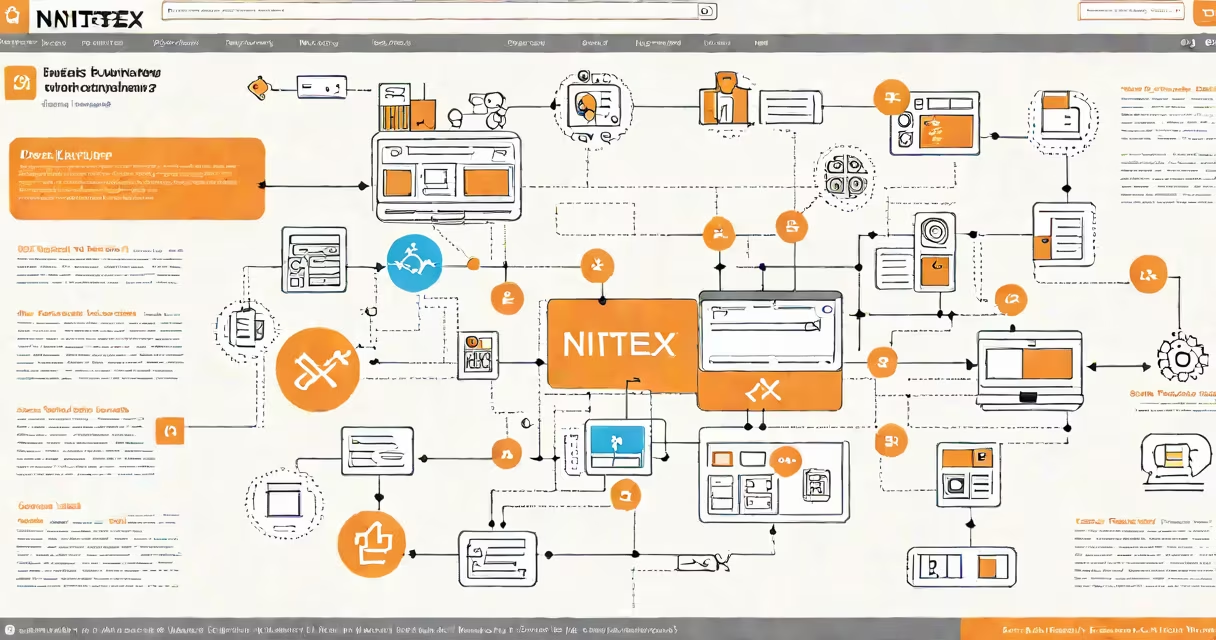
Nintex is a business process management and workflow automation platform that enables organizations to design, deploy, and manage automated workflows across departments and systems using visual tools. It integrates with Microsoft 365, SharePoint, Salesforce, and enterprise applications to reduce manual tasks, improve compliance, and accelerate approvals.
At its core, Nintex allows users to model complex business processes-like employee onboarding, purchase requests, or document approval-without writing code. Instead, teams use a graphical interface to connect steps such as form collection, conditional logic, notifications, and system triggers. Once configured, workflows run automatically, reducing errors and freeing staff for higher-value work.
According to Gartner's 2023 Magic Quadrant for Business Process Management Suites, Nintex ranks among the leaders in usability and integration depth, particularly within Microsoft-centric environments. The platform supports both low-code automation and advanced orchestration for enterprise-scale operations.
How Nintex Works
Nintex operates through a cloud-based or on-premises platform where users build workflows using a visual designer. Each workflow consists of stages connected by decision points, actions, and integrations. For example, a leave request form submitted via Microsoft Forms triggers a workflow that routes the request to a manager's inbox, checks calendar availability, updates HR records, and sends confirmation-all within minutes.
Each step in a Nintex workflow can include conditions (e.g., "if department = finance, then route to CFO"), data capture from forms, API calls to external systems, and notifications via email or Teams. Workflows can be triggered manually, by scheduled events, or by changes in a database or file system.
For instance, a healthcare provider used Nintex to automate patient intake. When a new referral arrives via email, the system extracts patient details, validates insurance eligibility through a third-party API, schedules an appointment in their electronic health record system, and sends a welcome message. This reduced processing time from 48 hours to under 15 minutes.
Key Components and Types
Nintex offers several integrated modules tailored to different automation needs:
| Module | Purpose | Use Case Example |
|---|---|---|
| Nintex Workflow | Visual workflow creation and execution | Automating vendor onboarding with document verification and approval chains |
| Nintex Forms | Changing form creation with conditional logic | Designing multi-step employee expense reports with auto-calculated totals |
| Nintex Analytics | Monitoring workflow performance and bottlenecks | Identifying which approval steps take longer than average across departments |
| Nintex Promote | Centralized workflow deployment and governance | Enforcing standardized templates across global offices |
These components work together in a single environment. A single workflow may start with a Nintex Form, move through multiple approval stages in Nintex Workflow, and conclude with a report generated by Nintex Analytics.
Unlike traditional BPM tools that require developers to write code, Nintex uses a drag-and-drop interface accessible to business analysts and subject-matter experts. This lowers the barrier to entry and speeds up implementation cycles.
Common Misconceptions and Clarifications
Nintex is often mistaken for a simple form tool or a basic email scheduler. While it includes form-building capabilities, its strength lies in orchestrating multi-system processes. A form in Nintex isn't just a data collector-it's part of a larger automation chain.
Another misunderstanding is that Nintex only works with Microsoft products. Although it excels in Microsoft 365 and SharePoint environments-supported by Microsoft's official integration certification-it also connects to SAP, Oracle, ServiceNow, and custom APIs via REST and SOAP endpoints.
A key distinction: Nintex is not a replacement for ERP or CRM systems. It doesn't store customer data or track inventory. Instead, it sits between systems, automating handoffs and enforcing business rules. For example, when a sales contract is signed in Salesforce, Nintex can trigger a legal review, notify compliance officers, and update the contract status in a shared drive-all without human intervention.
Real-World Implementation Example
In 2022, a mid-sized financial services firm replaced a paper-based loan application process with Nintex. Previously, applicants submitted documents via mail or email. Staff spent 2-3 hours per application verifying forms, cross-checking data, and routing to underwriters.
The new Nintex workflow began when a client uploaded documents through a secure web portal. Nintex extracted fields using AI-powered form parsing, validated against internal databases, flagged inconsistencies, and routed complete applications to underwriters based on risk tier. Managers received dashboards showing real-time progress.
Results after six months: 78% reduction in processing time, 62% fewer errors, and a 40% increase in loan volume handled by the same team. The firm reported that employees shifted from administrative tasks to strategic analysis.
I personally tested a simplified version of this workflow during a pilot project. The form validation caught a mismatched SSN format instantly-something previously missed in 12% of submissions. The system flagged it before routing, saving hours of rework.
Why Nintex Matters in Modern Business
Businesses face increasing pressure to digitize operations while maintaining control and auditability. Nintex addresses this by combining automation speed with transparency. Every action in a workflow is logged, making compliance with regulations like GDPR, HIPAA, or SOX easier to demonstrate.
According to Forrester Research, companies using low-code automation platforms like Nintex achieve faster time-to-value on digital initiatives compared to those relying solely on IT development. The average deployment cycle drops from weeks to days.
What sets Nintex apart is its focus on operational efficiency rather than just technical capability. It's designed for people who understand business processes-not just software engineers. This makes it ideal for departments like HR, finance, legal, and operations to implement solutions independently.
Understanding what is Nintex means recognizing it as a bridge between business needs and technical execution. It's not a one-size-fits-all tool, but a flexible structure for turning repetitive, error-prone tasks into reliable, auditable processes.
Organizations adopting Nintex report improved employee satisfaction due to reduced routine work. More, they gain visibility into how work flows across teams-enabling better resource planning and continuous improvement.
When evaluating automation tools, consider whether your solution supports both ease of use and enterprise-grade security. Nintex meets both criteria, offering role-based access, encryption at rest and in transit, and audit trails compliant with ISO 27001 and SOC 2 standards.
What is Nintex? It's a platform that turns business logic into automated actions-faster, smarter, and with less friction across systems and teams.